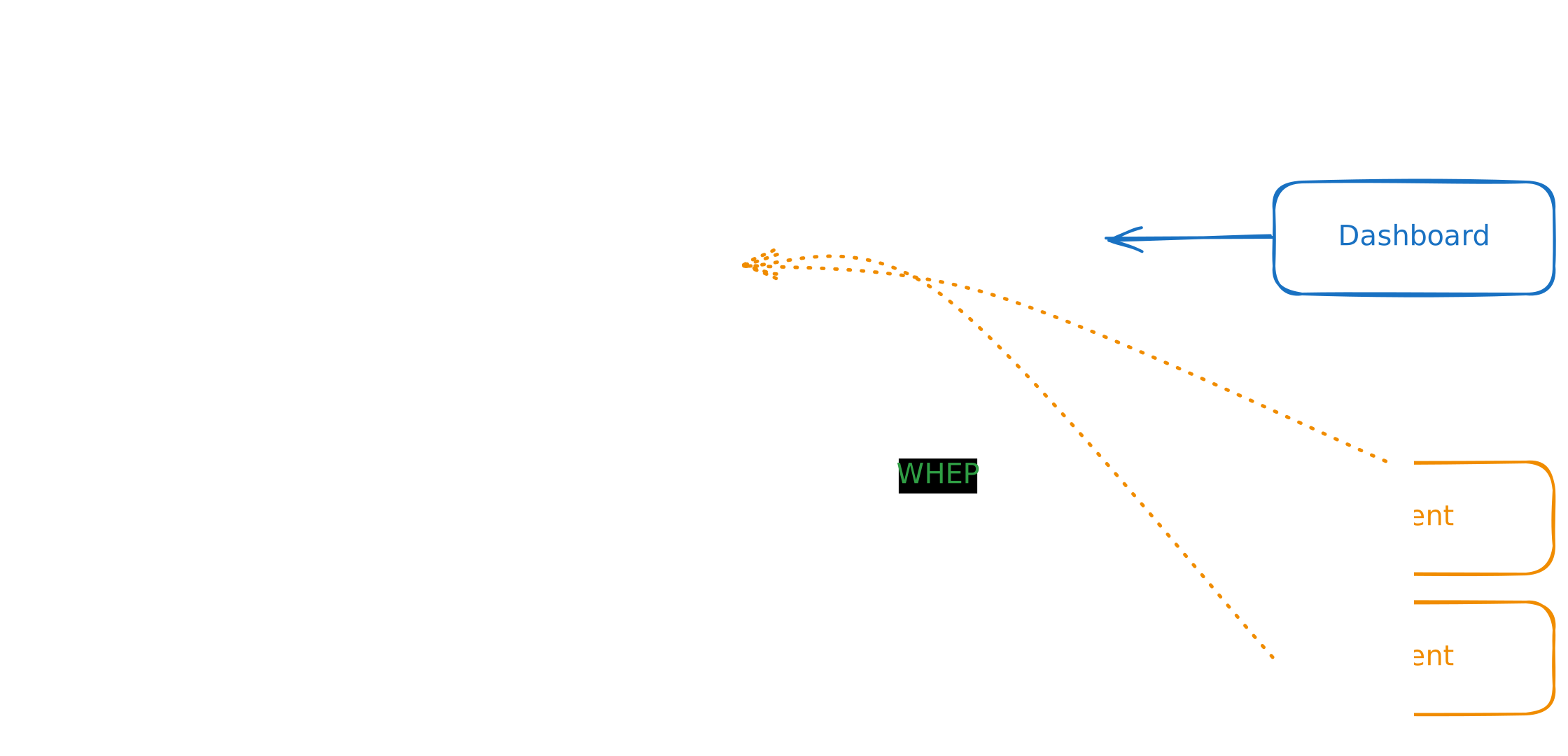
Liveman (Live777 Manager)
Live777 集群管理器.
如果我有很多服务器(live777 核心集群),我需要统一管理它们。Liveman 还为整个集群提供集中式录制索引管理和回放代理服务。
数据库配置
Liveman 将录制索引(stream + 日期 → mpd_path 的映射)存储在数据库中。程序启动时会自动执行迁移。
- 默认驱动:SQLite(嵌入式)
- 支持驱动:SQLite、PostgreSQL(通过 SeaORM
DATABASE_URL)
[database]
# 默认数据库 URL(SQLite)
# 环境变量: DATABASE_URL
# 未设置时默认值: sqlite://./liveman.db
url = "sqlite://./liveman.db?mode=rwc"

# 最大数据库连接数
# 默认值: 10
max_connections = 10

# 连接超时时间(秒)
# 默认值: 30
connect_timeout = 30
PostgreSQL 示例:
[database]
url = "postgresql://user:password@localhost:5432/live777"
max_connections = 10
connect_timeout = 30
录制索引与存储
录制系统在数据库中存储日期索引(manifest 位置),实际媒体文件保存在配置的存储后端(文件系统或 S3)中。
Liveman 还暴露了供 Liveion 异步上传队列使用的存储 API(仅 S3):
POST /api/storage/presign:{ "method": "PUT", "path": "object", "ttl_seconds": 300 },生成预签名 URL,需要 S3GET /api/storage/ping:可用性探测
录制索引表结构
表名:recordings(由迁移自动创建)
- id:UUID,主键
- stream:字符串,流标识
- year:整型
- month:整型
- day:整型
- mpd_path:字符串,manifest 在存储中的路径
- created_at:带时区时间戳
- updated_at:带时区时间戳
唯一索引:(stream, year, month, day)
认证
关闭认证
参照: live777#认证/关闭认证
Bearer token
JWT(JSON Web Token)
参照: live777#认证/JWT(JSON Web Token)
Username/password
登陆 Dashboard,权限和 Bearer token 一样。主要用于管理集群
[auth]
Admin Dashboard Accounts

[[auth.accounts]]
username = "live777"
password = "live777"

[[auth.accounts]]
username = "live777-2"
password = "live777-2"
使用外部的 IceServers
默认情况下 liveman 和 live777 都不会下发任何 ICE server:liveman 自身不添加, 只透传上游 liveion 的 Link 头,而 liveion 的 [[ice_servers]] 默认也是空列表。 因此不做任何配置的部署完全运行在内网(仅 host candidate)。 只有面向公网的部署才需要配置本节。
使用 WHIP/WHEP 时会合并全部的 iceServers
注意:
这个功能仅限于 WHIP/WHEP 客户端
因为 WHIP/WHEP 服务端不支持 trickle ICE,如果使用很多 ICE 会拖慢启动速度
如果不需要上游提供 ice_servers,可以使用 override_upstream_ice_servers = true 来清除
[extra_ice]
# When WHIP/WHEP use liveman proxy
# liveman override upstream liveion http header link ice_servers
override_upstream_ice_servers = false
Static
和 live777 config [ice_servers] 一样
[[extra_ice.ice_servers]]
urls = [
    "stun:stun.22333.fun",
    "stun:cn.22333.fun",
    "stun:stun.l.google.com:19302",
]

[[extra_ice.ice_servers]]
urls = [ "turn:turn.22333.fun", "turn:cn.22333.fun" ]
username = "live777"
credential = "live777"
Coturn
在产品环境中,为确保安全,通常需要对每一个链接单独分配一个独立的 username / password
注意:
Coturn 的 --use-auth-secret 和 --lt-cred-mech 是冲突的
--lt-cred-mech 通常用于开发和测试环境。(WebRTC 不支持 turn 的 noauth 模式)
[extra_ice.coturn]
# Coturn must use: --use-auth-secret
# The secret is: --static-auth-secret=live777
secret = "live777"
urls = [
    "stun:coturn.22333.fun:3478",
    "turn:coturn.22333.fun:3478?transport=udp",
    "turn:coturn.22333.fun:3478?transport=tcp",
]
ttl = 3600
Cloudflare
使用 Cloudflare 提供的 Turn 服务
[extra_ice.cloudflare]
# https://developers.cloudflare.com/realtime/turn/generate-credentials/
key_id = ""
api_token = ""
ttl = 3600
节点状态更新
Liveman 可以通过推送方式获取 Liveion 的流状态,而不只是依赖轮询。
SSE(用于静态/手动节点)
对于 [[nodes]] 下配置的每个节点,Liveman 会自动建立到 Liveion /api/sse/streams 端点的 SSE 连接,并在流状态变化时更新本地存储。
net4mqtt xdata(用于 net4mqtt 发现的节点)
当启用 net4mqtt 时,每个 Liveion 节点会在流状态变化时通过 xdata(key 为 streams)推送流快照,媒体统计采样周期(2 秒)内计数有变化时也会推送(负载经过去重,空闲节点保持静默)。Liveman 解码后更新对应节点条目。
当 Liveman 合并多个节点上的同名流时,合并后的 stats 会标记 statsScope: "clusterNodeWork"。它表示跨节点的节点工作量总和,而不是集群边缘流量;级联链路会在每个中继节点各计一次。
节点容量策略
Liveman 依据每个节点的订阅容量进行 WHEP 路由与级联目标选择。这只是 liveman 侧的调度策略,liveion 并不强制执行。
静态节点可配置可选的 sub_max(缺省 = 不限制):
[[nodes]]
alias = "edge-0"
token = "live777"
url = "http://127.0.0.1:7777"
# 每条流的订阅容量,用于 WHEP 路由与级联目标选择(缺省 = 不限制)
sub_max = 1
没有显式 [[nodes]] 条目的节点(主要是 net4mqtt 动态发现的节点)使用第一条命中的 [[node_rules]] glob 规则(无命中 = 不限制)。显式的 [[nodes]] sub_max 始终优先于规则:
[[node_rules]]
pattern = "edge-*"
sub_max = 1

# 兜底规则:未知节点可以推流(作为源)但绝不直接服务观众,
# 因此级联永远不会落到未识别的节点上
[[node_rules]]
pattern = "*"
sub_max = 0
集群模式
集群模式需要 Liveman,我们也可以通过 net4mqtt 来扩展网络
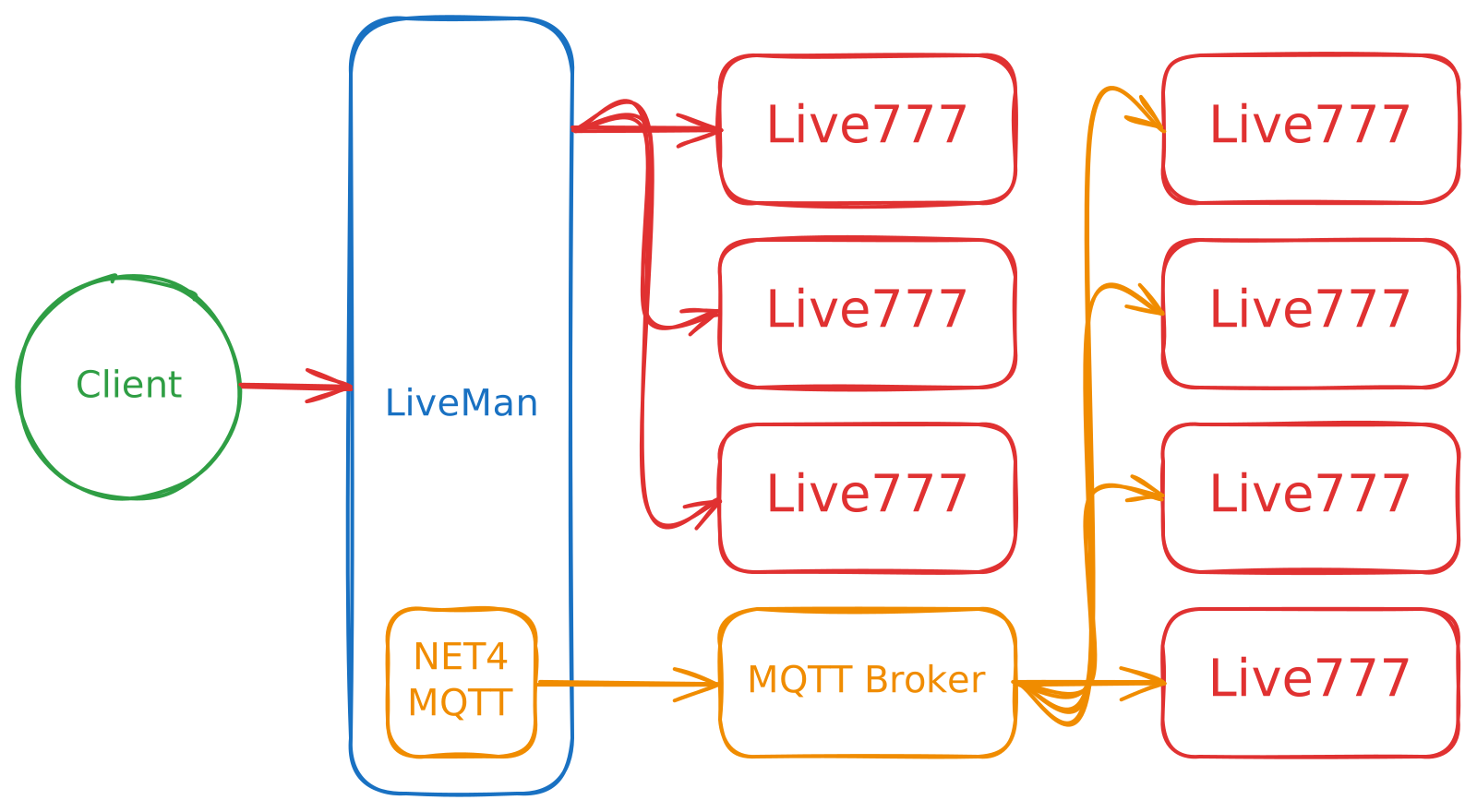
边缘集群
我们支持边缘端和云端混合集群